
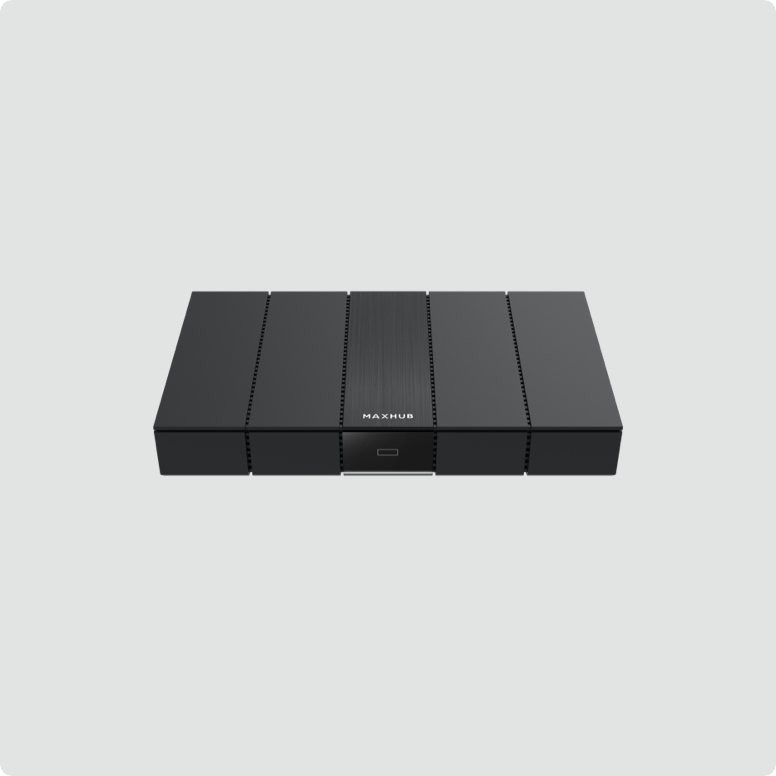

MAXHUB Wireless Box WB05
MAXHUB 공식 제품 정보를 기준으로 정리한 AV 시스템 확장 액세서리입니다. 설치 환경과 시스템 구성에 따라 적용 사양과 옵션이 달라질 수 있습니다.
Convenient screen sharing for maximized meeting experiences.
주요 특징
- One-click easy for 4K Ultra HD output.
- Use any video conferencing software from your own laptop and dynamically control the existing in-room BYOM-enabled conferencing infrastructure wirelessly,
- With a 4K output resolution and 60Hz high frame rate display, you can enjoy videos in hyper-realistic and vibrant color. H.264 decod-
- Double your utility with dual HDMI interfaces, for the ability to use dual-screen outputs when screening your content.
- A dual-frequency Wi-Fi module integrated with a 2T2R high-gain antenna configuration provides twice
- the data output compared to singular antenna designs. Enjoy ultra-low latency, improved clarity,
- Application Windows Sharing Focused Content and Experience
- for pre-scheduled power on/off, for truly cost and energy-effective maintenance.
- Scheduled Power On/Off Cost-effective and Energy-saving
- A projection/large-size TV and the Screen Mirroring Box are all you need for a professional meeting experience,
세부 사양
| One-click easy for 4K Ultra HD output. | |
| 4K Ultra HD Output, | |
| With a 4K output resolution and 60Hz high frame rate display, you can enjoy videos in hyper-realistic and vibrant color. H.264 decod- | |
| 4K Ultra HD Resolution | |
| Double your utility with dual HDMI interfaces, for the ability to use dual-screen outputs when screening your content. | |
| 2.4GHz/5GHz Dual-frequency Wi-Fi | |
| POE Power Supply Clean Wiring | |
| *PC Compatibility: Supports Windows 7 and above, macOS 10.10 and above. Mobile and Tablet Screen sharing Compatibility: Supports Android 5.0 and above, iOS 9.0 and above. | |
| Wireless Screen sharing requires MAXHUB Wireless Screen sharing Device or installation of MAXHUB Share App. MAXHUB Share supports Android 5.veMAXHUB interactive flat panel upon first use. | |
| *Traditional TV Connectivity: Requires HDMI interface for connecting TVs or projectors to the MAXHUB Screen Sharing Box. Simply connect via a cable. | |
| *Mainstream Conference Display Devices: Devices need to be equipped with an HDMI interface. | |
| With a 4K output resolution and 60Hz high frame rate display, you can enjoy videos in hy- | |
| Double your utility with dual HDMI interfaces, for the ability to use dual-screen outputs when screening your content. Enjoy flexible content display at your fingertips, with both main and secondary screen pairing. | |
| *PC Compatibility: Supports Windows 7 and above, macOS 10.10 and above. Mobile and Tablet Screen sharing Compatibility: Supports Android 5.0 and above, iOS 9.0 and above. Wireless Screen sharing requires MAXHUB Wireless Screen sharing Device | |
| Share supports Android 5.0 and above, iOS 11.0 and above. The screen sharing device needs to be on the same network as the screen sharing box. |





상품평
아직 상품평이 없습니다.